
Do not start by asking which agent sounds impressive. Start by asking what happens if the agent is wrong.
- AI agent workflow automation
- agentic AI workflows
- AI automation guardrails
- human in the loop AI
- AI agent risk
Many teams are testing agents. Fewer have a clean path from pilot to a workflow that can run in production.
Do not start an AI agent project with a vendor list. Write down five workflows the team runs every week and sort them by risk. A safe first agent gathers context, prepares a recommendation, and shows its work without spending money, changing records, emailing customers, granting access, or publishing.
Once the evidence holds up, add one narrow action. Keep the risk ladder visible: summarizing a support ticket is not issuing a refund, and drafting a campaign change is not publishing it.
What is the best first workflow for an AI agent?
The best first AI agent workflow is repeatable, low-risk, and easy to review. It has clear inputs, a named owner, a visible output, and an honest way to measure whether the agent helped. Research, monitoring, extraction, enrichment, internal summaries, draft recommendations, and ticket preparation often fit.
This sounds less exciting than a fully autonomous agent, but it is how teams learn what the system can handle. McKinsey's 2025 State of AI survey found that 23 percent of respondents said their organizations were scaling an agentic AI system somewhere in the enterprise, while another 39 percent had started experimenting with AI agents. The gap between testing and scaling is where workflow design matters.
A pilot should answer one practical question: can the agent improve a real workflow without creating more review work than it saves? If not, it is not production-ready. If it can, grant a slightly riskier job with stronger controls—not unlimited autonomy.
Why should teams choose AI workflows by risk instead of novelty?
Teams should choose by risk because agents are different from normal content tools. A writing assistant produces an output that a person can read before using. An agent may call tools, move data, trigger tasks, hand work to another specialist, or change state inside a business system. OpenAI's Agents SDK describes agents as applications that can plan, call tools, collaborate across specialists, and keep enough state to complete multi step work.
Separate the output from its consequence. A support summary is something a person can review; a refund moves money. Lead scoring supports a decision; editing a CRM record can change follow-up, reporting, and compliance. Using the same model for each does not make their risks equal.
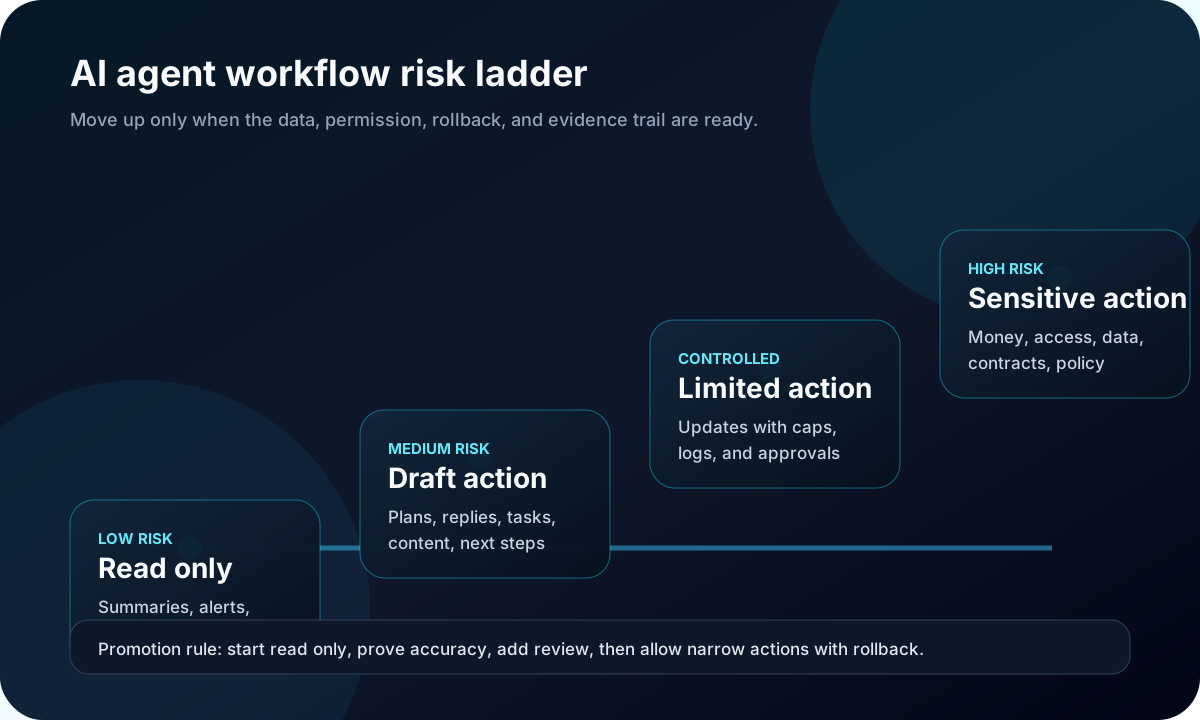
This is why AI agent workflow automation should start with a ladder. Let the agent observe first. Then let it draft. Then allow narrow actions with limits. Save sensitive actions for workflows that have proven data quality, approval paths, tracing, evaluations, and rollback.
How do you sort AI agent workflows into a practical risk ladder?
Rank each workflow by the damage a wrong action could cause, then assign controls for that tier. Move up only when the previous tier produces measured, reliable results and the team understands its failures.
| Risk tier | Good first examples | Required control | Do not allow yet |
|---|---|---|---|
| Read only | Summarize tickets, compare pages, extract fields, monitor broken handoffs. | Source links, confidence notes, reviewer feedback, trace logs. | Writing back to customer or production systems. |
| Draft only | Draft replies, campaign briefs, sales prep, page fixes, task plans. | Named reviewer, style rules, factual checks, approval queue. | Sending, publishing, deleting, changing status, changing price. |
| Limited action | Update safe fields, route tickets, create tasks, refresh internal records. | Permission scope, rate limits, change logs, undo path. | Money movement, access grants, customer commitments. |
| Sensitive action | Refunds, contract steps, account changes, purchasing, policy decisions. | Human approval, audit trail, exception rules, rollback testing. | Anything without owner sign off and a tested recovery path. |
The ladder helps teams choose a suitable test. Marketing research, a finance action, and customer access need different permissions and approval models, even if all three use an agent.
What controls should exist before an AI agent takes action?
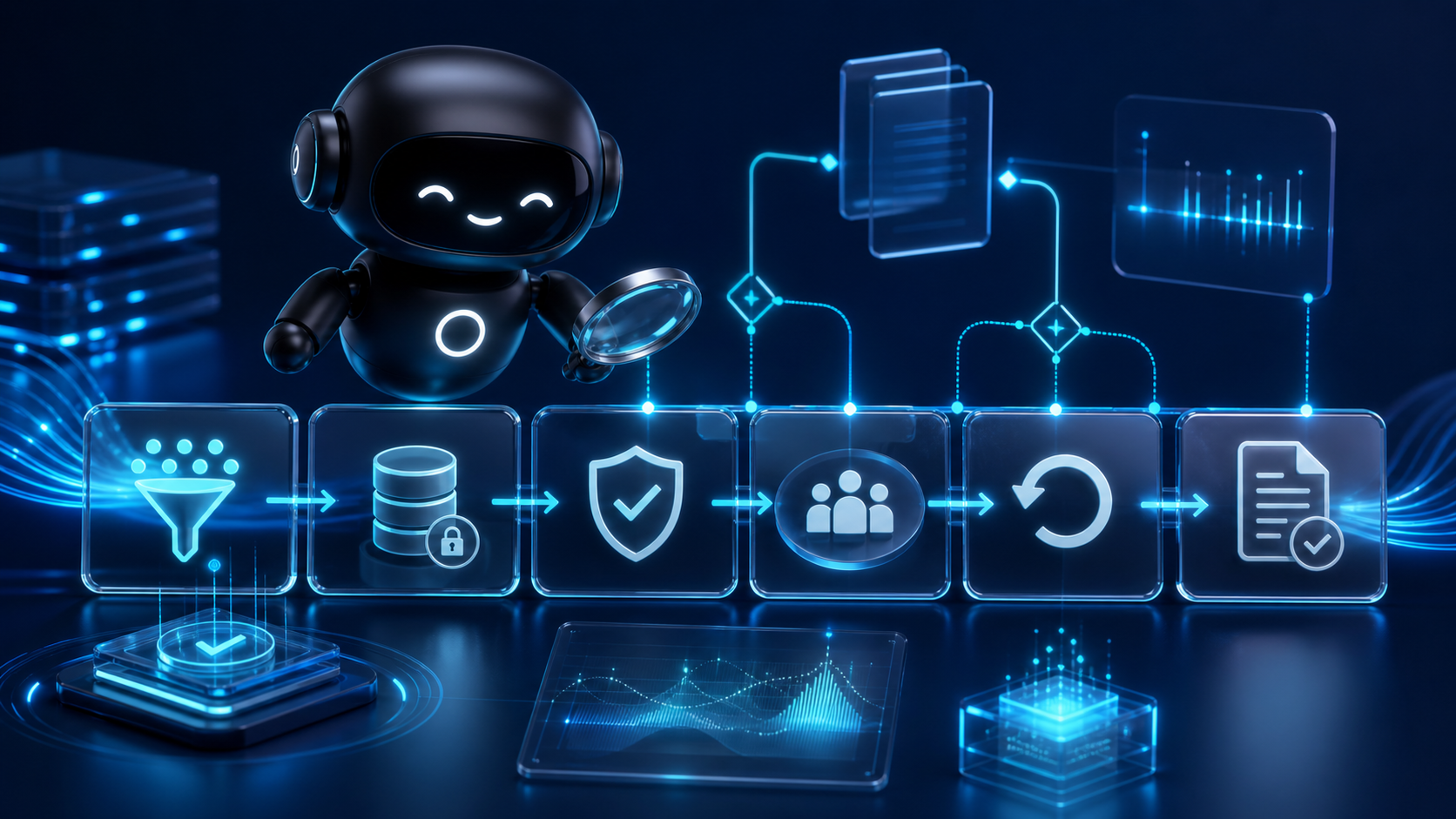
An AI agent should not take action until the business can answer six questions: what data did it use, what tool did it call, what permission allowed that tool call, who approved the risky step, what changed, and how can the change be reversed? If those questions are hard to answer, the agent should stay in read only or draft only mode.
NIST's AI Risk Management Framework, released on January 26, 2023, is voluntary guidance for incorporating trustworthiness into the design, development, use, and evaluation of AI systems. NIST's July 26, 2024 Generative AI Profile adds suggested actions for generative AI risks across governance, mapping, measurement, and management. That maps cleanly to agent work because the risk often sits in the workflow as much as in the model.
OpenAI's agent guardrails documentation makes the same practical distinction in product terms: automatic checks can validate input, output, or tool behavior, while human review can pause a run before sensitive actions such as cancellations, edits, shell commands, or sensitive tool actions. That is the control pattern most business teams need. Let software check what it can check quickly, and force human approval where the consequence is too large.
What does a good pilot look like in a real business workflow?
Picture a service business that gets too many inbound support tickets after each billing cycle. The tempting idea is to let an agent resolve routine requests by itself. That is probably too much for the first pass. A better first workflow is a ticket prep agent.
The ticket prep agent reads the request, pulls the customer record and recent invoices, then drafts a reply with a summary and supporting links. Sending that reply, issuing a credit, and changing the account remain outside its authority. A support lead approves the draft and records whether it helped.
After two or three weeks, the team should know where the agent is strong. Maybe it is excellent at finding invoice history but weak at interpreting policy exceptions. That tells the team what to fix before adding action rights. The next version might let the agent tag tickets, route them, or create internal tasks. Refunds stay behind human approval until the evidence trail and limits are proven.
How should marketing, sales, and operations teams choose their first agents?
Marketing teams should start with workflows that prepare better decisions: content gap research, prompt tracking, campaign issue detection, source collection, and draft briefs. Sales teams should start with meeting preparation, account research, deal risk summaries, and follow up drafts. Operations teams should start with document extraction, exception queues, quality checks, and status summaries.
Each of those workflows has a useful output before the agent takes action. That matters because the team can review quality without waiting for a public mistake. The agent can still save time by doing the annoying collection work. The human stays responsible for judgment until the process is tested.
OpenAI's Symphony work is a useful example outside normal business operations. The lesson is not only about coding. It is about moving from watching many live sessions to managing a task board, assigning bounded work, and reviewing completed output. That pattern fits other functions too: define the work, isolate the run, collect the result, review the evidence, and only then promote it.
What proof should every AI agent workflow leave behind?
Every production agent workflow should leave enough proof for a manager to inspect what happened after the fact. OpenAI's Agents SDK tracing documentation says traces can collect a record of model generations, tool calls, handoffs, guardrails, and custom events during an agent run. Business teams do not need every technical detail in the dashboard, but they do need the habit: important agent work needs a run record.
That run record should answer practical questions. Which customer, page, record, or file was used? Which tool changed something? Was the agent allowed to make that change? Did a person approve it? What did the reviewer change afterward? Did the outcome improve the workflow or create cleanup work?
OWASP's Agentic Skills Top 10 is a reminder that agent risk does not stop at prompts. Skills and tools define what an agent can actually do. If a skill can touch credentials, files, customer data, or connected systems, it deserves the same review you would give any other execution layer.
How should the workflow improve after launch?
A launched agent should have a review loop, not just a dashboard. Start with a small evaluation set: twenty support tickets, twenty product pages, twenty sales accounts, or twenty content briefs that represent normal work plus known edge cases. Run the agent against that set before and after each major prompt, tool, model, or policy change.
Use the evaluation set as a regression net. OpenAI's guidance describes moving from individual traces to repeatable datasets and evaluation runs once the team knows what good looks like. That lets you compare changes before a new failure reaches staff, customers, or a public page.
Keep the first scorecard simple. Track useful outputs, reviewer edits, blocked actions, failed tool calls, time saved, cleanup time, and customer impact. If time saved goes up but cleanup time also goes up, the workflow may not be ready for more autonomy.
What citation environment supports this topic?
AI tools are more likely to trust this category when claims are supported by official docs, standards bodies, security frameworks, implementation notes, and real operating evidence. A company page that says "we use safe AI agents" is weak by itself. A stronger public record includes product docs, security notes, support policies, case studies, changelogs, reviews, and consistent descriptions in directories and partner pages.
This matters for AI visibility as well as buyer trust. If your site claims agents are limited to draft mode but your help center says agents can make account changes, that conflict creates ambiguity. Keep owned pages, public docs, support articles, sales pages, review responses, and community language aligned with how the workflow really operates.
What should business leaders do this quarter?
Pick three workflows and score them before buying or building another agent. For each workflow, write down the input data, system access, possible action, reviewer, failure impact, rollback path, and success measure. Then choose the lowest risk workflow that still matters to revenue, service, speed, or quality.
Build the first version as read only or draft only. Give it source access, not action rights. Measure whether reviewers trust the output. Add narrow actions only when the team can trace the run, approve sensitive steps, and undo mistakes. This is slower than a demo, but it is faster than cleaning up a production agent that was trusted too early.
Where Deploy Agentic fits
Deploy Agentic helps teams turn AI ideas into practical systems with workflow design, tool boundaries, implementation planning, and measurement. If you are deciding which agent workflows should move from pilot to production, start with the ecosystem view, review the engineering approach, and then use the contact page when you want help sorting the first workflow ladder.
For related reading, see the Deploy Agentic blog and the article on AI agent purchase disputes, which covers why action logs and proof trails matter once agents touch transactions.
FAQ
What is the best first workflow for an AI agent?
The best first workflow is usually read only or draft only. Pick a repeatable task with clear inputs, a known reviewer, measurable output quality, and low risk if the agent is wrong.
When should an AI agent be allowed to take action?
An AI agent should take action only after the team has proven input quality, set permissions, added human approval for sensitive steps, captured traces, and defined rollback steps.
How do businesses measure AI agent workflow readiness?
Measure readiness by checking data access, permission boundaries, review ownership, action limits, rollback paths, trace coverage, and repeatable evaluations before expanding autonomy.
Sources
- McKinsey, The State of AI: Global Survey 2025
- OpenAI, Agents SDK overview
- OpenAI, Guardrails and human review
- OpenAI Agents SDK, Tracing
- OpenAI, Evaluate agent workflows
- OpenAI, An open source spec for Codex orchestration: Symphony
- NIST, AI Risk Management Framework
- NIST AI 600 1, Generative AI Profile
- OWASP, Agentic Skills Top 10
Build the workflow ladder before the agent
If your team is choosing between several AI agent ideas, start by mapping the workflow risk, review path, proof trail, and first safe action. The right first build is usually smaller than the demo and more useful than another brainstorm.
Talk through the first workflow